September 17, 2026
14 Slack Games to Play With Your Team (2026)
The best Slack games for team building: eight apps worth installing, plus six you can run with nothing but a channel and five minutes.
By Jesse K.
Setting up a daily trivia round in Slack takes about a minute, and six of the fourteen games below need no app at all.
Slack games come in two forms. Some are apps you install into your workspace. The rest are things you play by posting in a channel, where the only setup is picking a channel and a time.
Slack games that need an app
Doozy, Water Cooler Trivia, and Ricotta post on a schedule once you have configured them. Code Names, GameMonk, PlayPlay.io, DiceBot, and ChessBot wait for someone to start a round.
1. Doozy Trivia
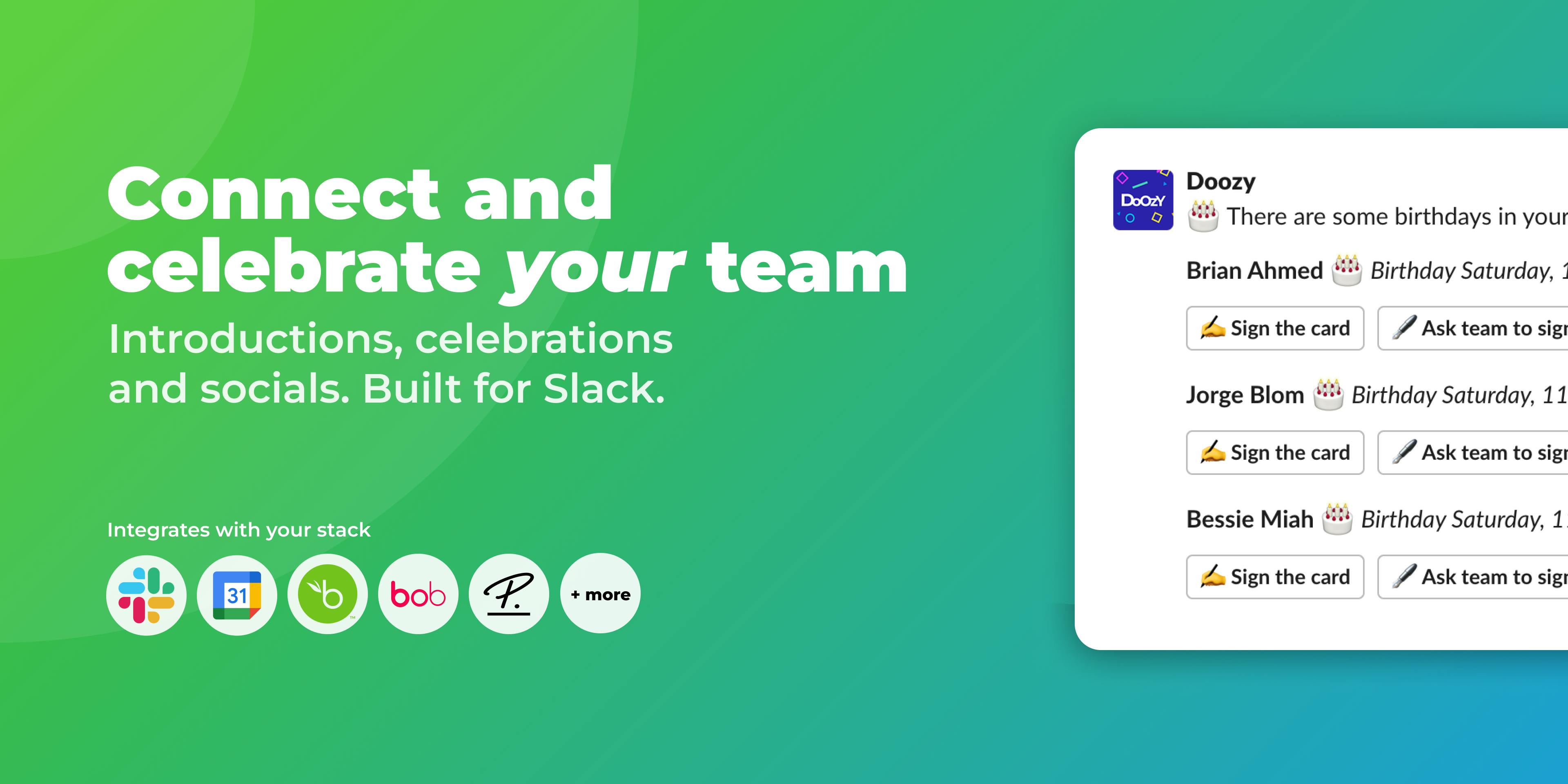
Doozy posts a multiple-choice trivia question to your channel on the days and time you pick. Themes rotate weekly through topics like science, history, geography, pop culture, and sports, or you can point it at your own custom quiz instead.
Choose simple scoring or add a speed bonus for correct answers. Weekly and monthly leaderboards are optional.
Doozy also runs icebreakers, celebrations, introductions, and polls in Slack for the days you want conversation instead of competition.
2. Water Cooler Trivia
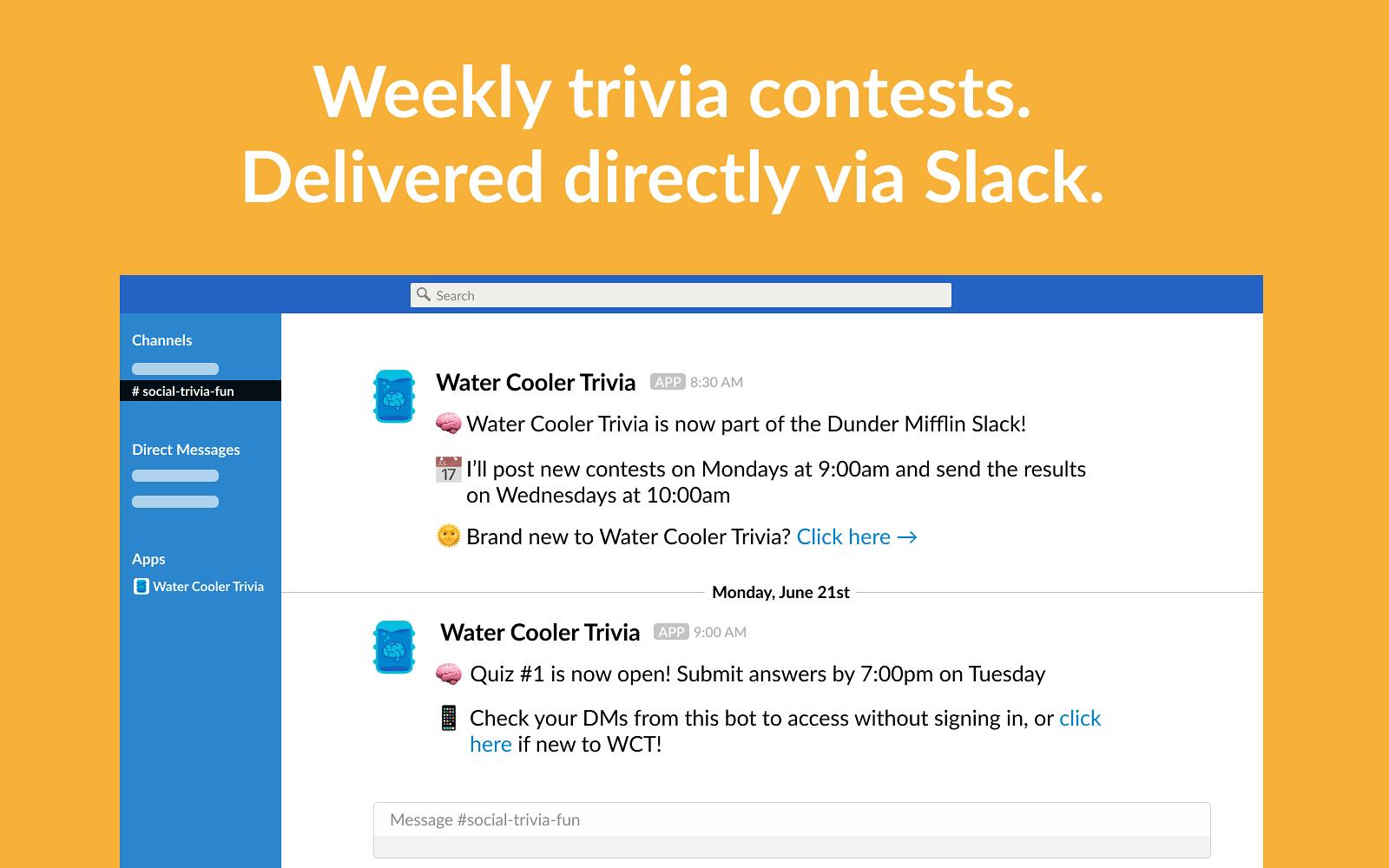
Water Cooler Trivia sends one trivia round a week and tracks results over time. Rounds are asynchronous, so people answer whenever they open Slack instead of at a set time, which makes it a good fit for a team split across time zones.
3. Code Names
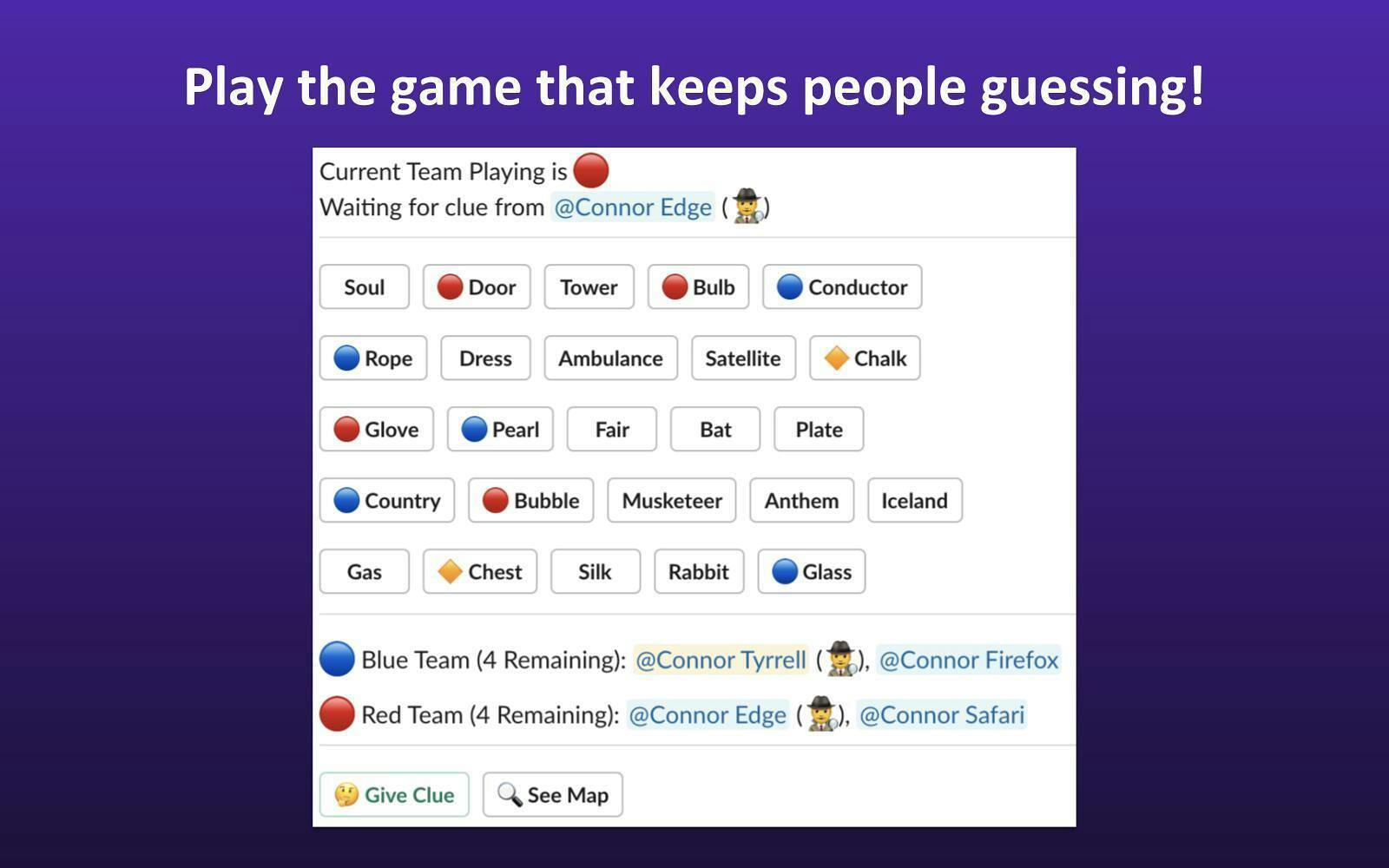
Code Names brings the word association party game into Slack behind a /codenames command. Split into two teams. One player per team gives one-word clues to help their teammates guess the right words on the board. A game can finish in minutes or sit half-played for days, which is the point of running it in Slack instead of on a call.
4. Ricotta Games and Trivia
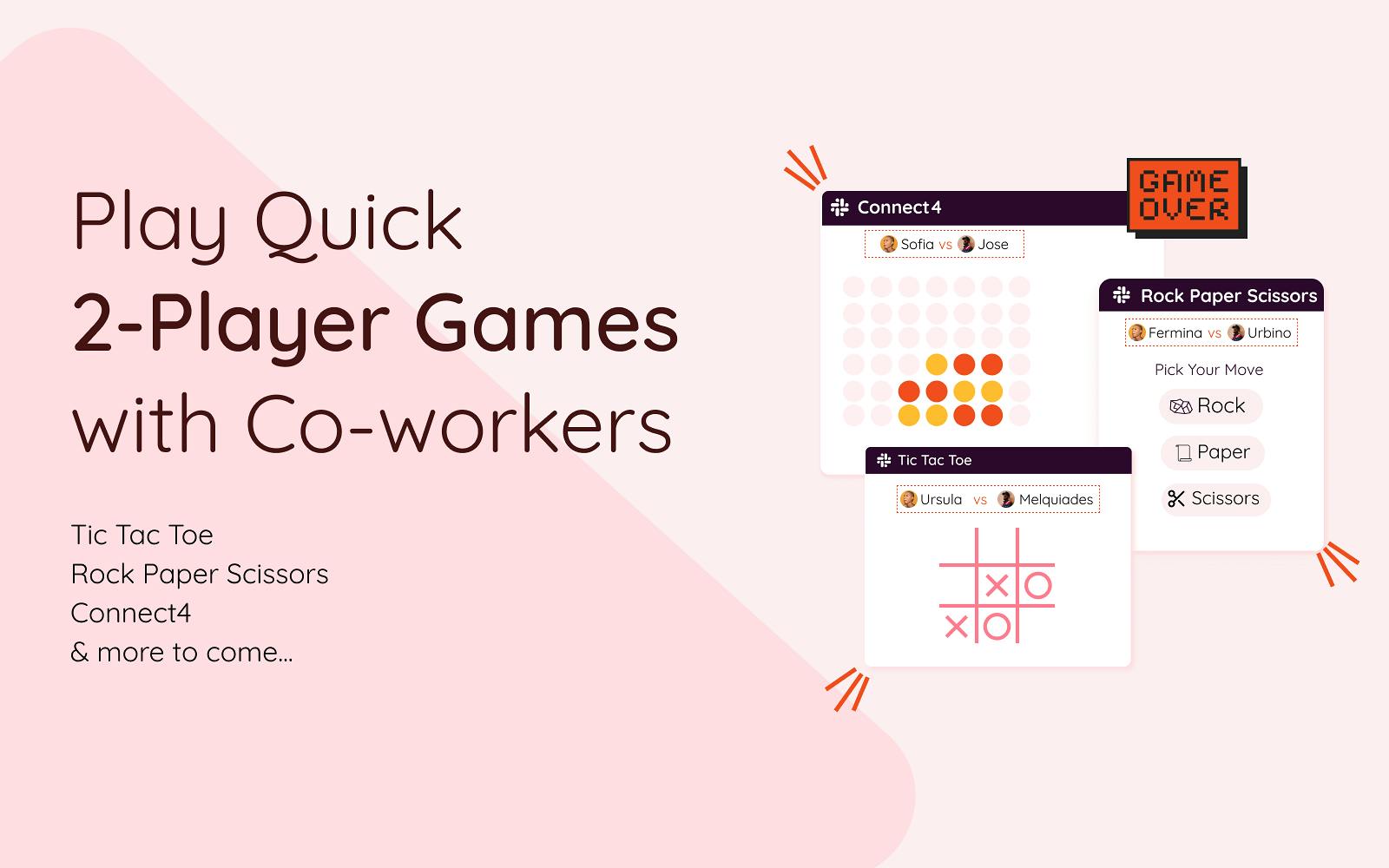
Ricotta has short games including rock paper scissors and trivia. Its trivia scheduler posts quizzes through the week on a cadence you set, so it belongs in the same bracket as Doozy and Water Cooler Trivia if you want something running without a person behind it.
5. GameMonk
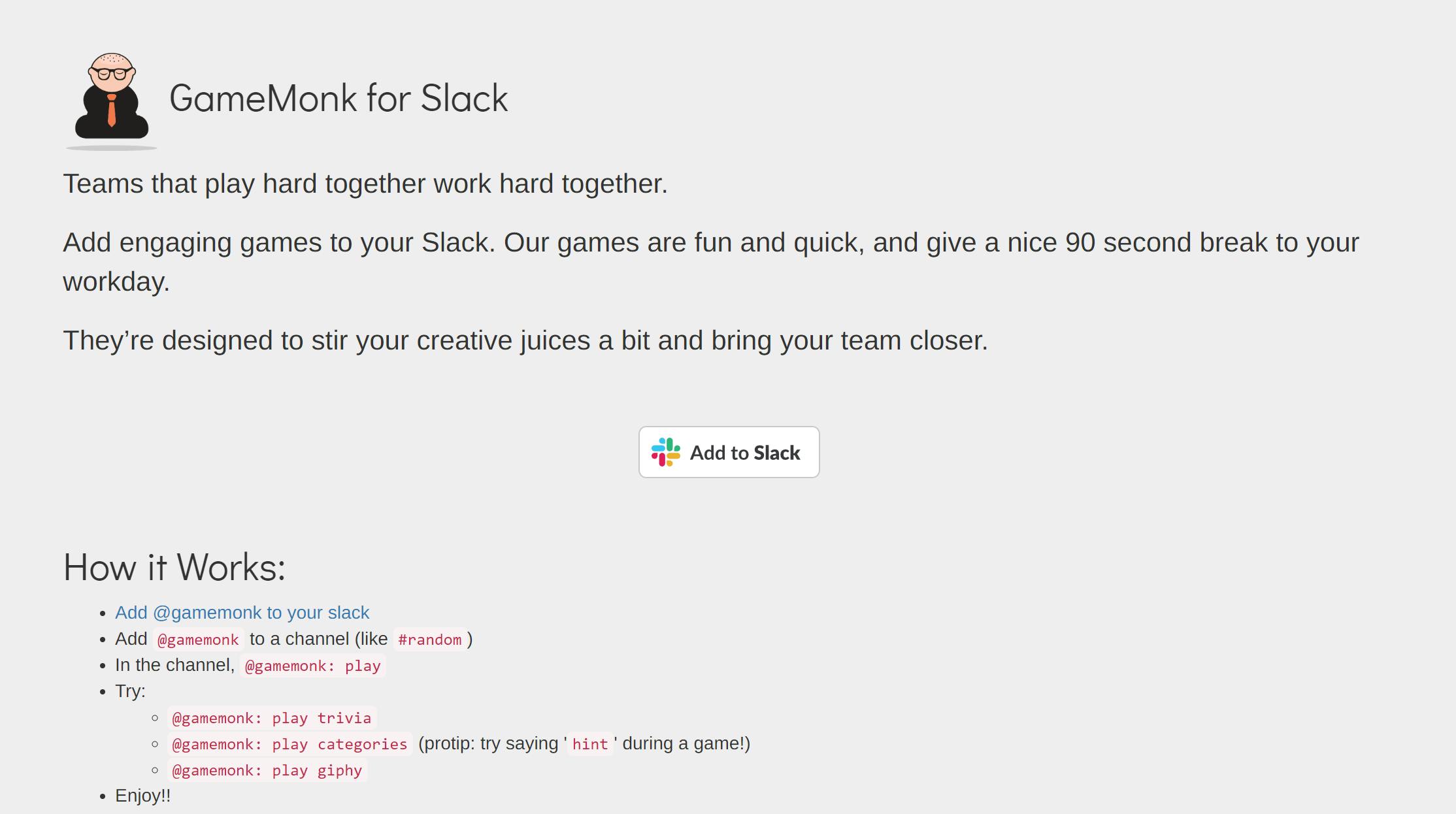
GameMonk starts a round when someone types @gamemonk: play, and has three game types:
- Categories: name things in a category before time runs out
- Giphy: guess what the GIF is showing
- Trivia: quiz questions across a range of topics
6. PlayPlay.io
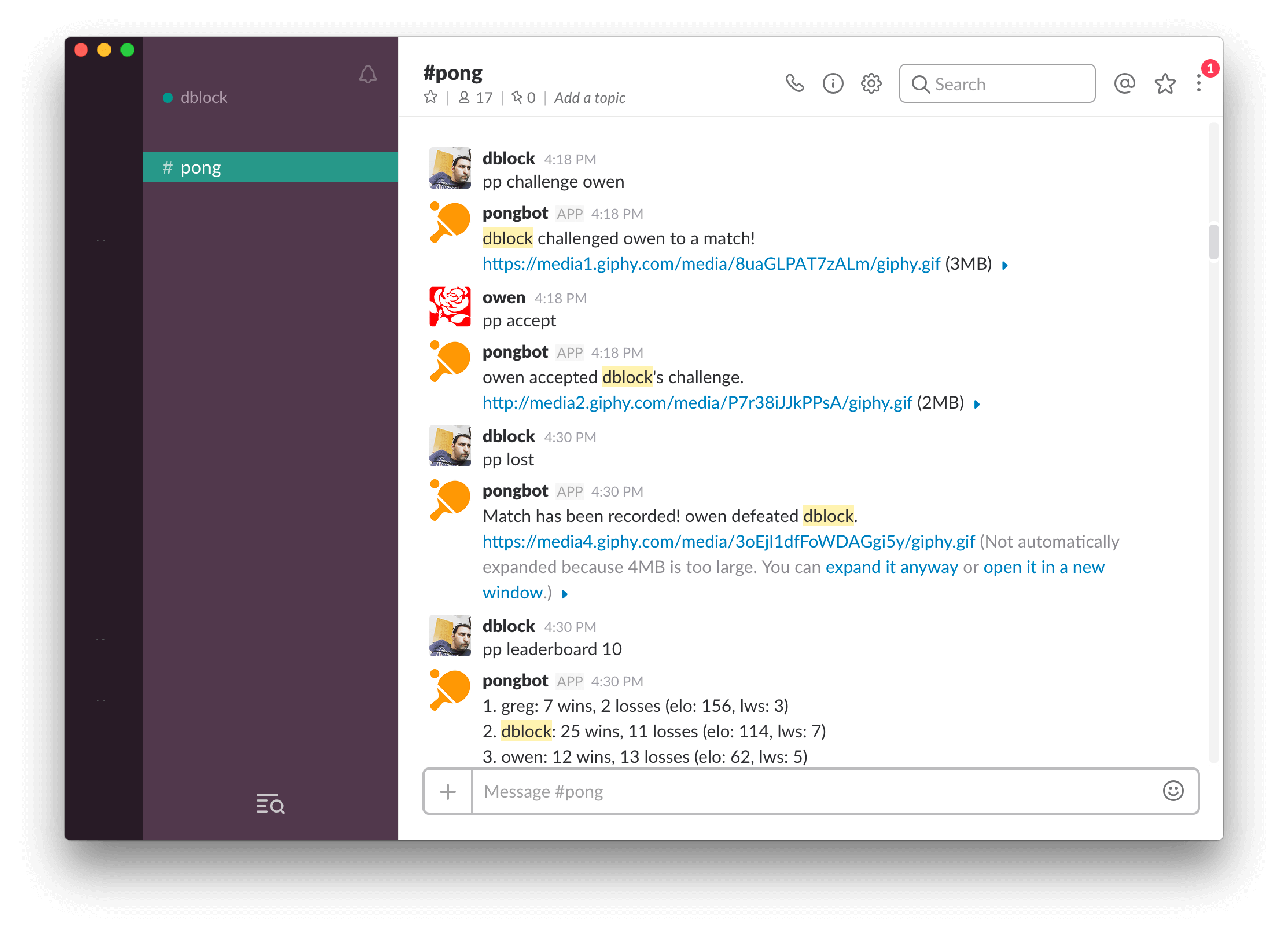
PlayPlay.io tracks results for pong, chess, pool, and tic-tac-toe. You challenge a teammate by mentioning the game's bot in the channel, report the result when you are done, then ask it for the leaderboard. Best suited to an office with a real ping pong table and a long-running rivalry to settle.
7. DiceBot
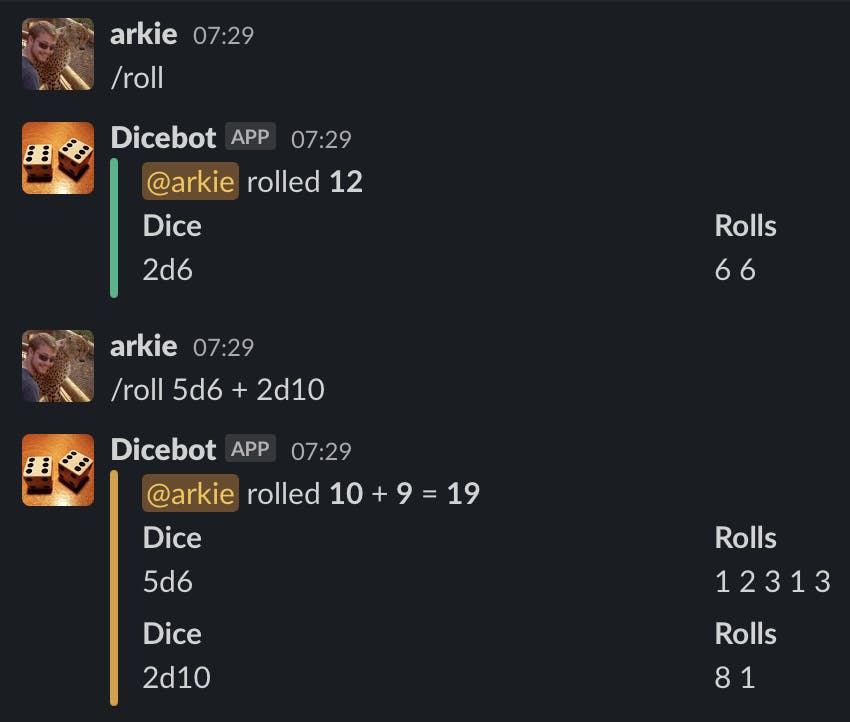
DiceBot adds a /roll command that takes standard dice notation, so /roll 2d6 rolls two six-sided dice in the channel. It is the fastest way on this list to settle who picks the lunch spot.
8. ChessBot
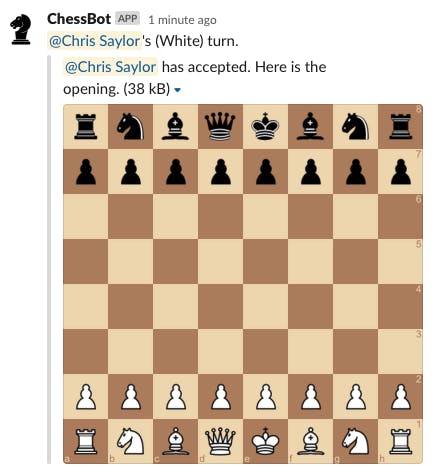
ChessBot runs full chess games inside Slack threads, so a match can sit unfinished for a week without cluttering the channel it started in. It notifies you when it is your move, and you can run the finished game through a computer analysis to see where it went wrong. There is no leaderboard, so bragging rights have to be maintained manually.
Slack games you can play with no app at all
9. Two truths and a lie
One person posts three statements about themselves, two true and one invented, and everyone else votes with a numbered emoji reaction. The poster reveals the lie a few hours later. It works particularly well in the first week of a new cohort, because it gives people something to say about themselves without a formal introduction round.
Run it on a rotation so a different person posts each week. Our list of 5-minute team building activities has more games like this one.
10. Emoji riddles
Post a film, song, or TV show described only in emoji, and the first correct reply wins. 🦈🎣🚤 for Jaws, 👑🦁 for The Lion King. Set a theme each week so people know roughly what they are guessing at.
Keep the guesses in a thread, so someone opening Slack three hours late still gets a turn.
11. Caption this
Post a photo or GIF, ask for captions in the thread, then let the channel vote with emoji reactions. The winner posts next week's picture. Use company photos from an offsite instead of stock images, so people recognize what they are looking at.
12. Would you rather
Post one dilemma a day and let people vote with two emoji, then argue about it in the thread, which is where most of the value ends up. Our 29 would you rather questions and 120+ icebreaker questions for work have enough prompts to keep this going for months.
13. Guess who
Everyone sends a baby photo, a pet photo, or a picture of their desk to one organizer by DM. The organizer posts one a day and the channel guesses whose it is. Collect a full batch before you start, because this one falls over if submissions dry up halfway through.
14. Puzzle score threads
Start a daily thread where people paste their Wordle, Connections, or crossword results. There is no scoring to administer and no app to install, because the thread does the work. Try this one first if organized games have not landed with your team, since it asks for nothing but a paste.
Why teams play games in Slack
A recurring game gives people a reason to talk to a colleague they would otherwise never message, which is one small counter to remote work loneliness.
Lin, Standing, and Liu's 2008 paper in Decision Support Systems, A model to develop effective virtual teams, reports that personal bonding and shared experiences correlate with levels of trust in virtual teams, and holds that initial trust among virtual team members is critical. The paper studies virtual teams and says nothing about games, so it supports engineering shared experiences, not trivia specifically. We went deeper into the psychology in why psychologists recommend playing games as a team.
Games in Slack create shared experiences without anyone scheduling a meeting, and they give new hires a low-pressure way to say something in a channel during their first week.
How to get people playing
In our experience, Slack games die when nobody owns them.
- Pick one channel and one game. Starting three games at once splits the audience, and none of the three build a habit.
- Keep it opt-in. Use a dedicated channel like
#funinstead of posting into#general, so people who are heads-down can ignore it without feeling rude. - Pick a time people are already in Slack. We would take mid-morning or just after lunch over 9am, when everyone is triaging their inbox.
- Give it an owner. For manual games, a named person on a rotation. For app-based games, a schedule that runs whether or not anyone remembers.
- Retire a game that has stopped landing instead of nagging it back to life.
For new hires, games work well alongside onboarding as a way to meet people outside their immediate team. If you are picking tools for a whole engagement program, our people teams use case covers how these fit together.
Frequently asked questions
What games can you play in Slack?
Slack games split into installed apps and channel games. Apps such as trivia bots and word games install into your workspace, and the trivia ones keep score for you. Channel games like two truths and a lie or an emoji riddle need no app at all, only a channel and someone willing to post the first prompt.
Are there Slack games that don't need an app?
Yes. Two truths and a lie, emoji riddles, caption this, would you rather, guess who, and puzzle score threads all run on ordinary Slack messages, threads, and emoji reactions. They cost nothing and need no approval from IT, though someone has to remember to post them.
How do you play trivia in Slack?
Install a trivia app, point it at a channel, and choose the days and time it should post. With Doozy you also choose whether to use its question bank or your own custom quiz, whether scoring includes a speed bonus, and whether to show a leaderboard. After that the questions post on their own.
How often should you run games in Slack?
Daily works for anything that takes under a minute, like a trivia question or a would-you-rather prompt. Weekly suits games that need people to write something, such as caption contests or two truths and a lie, because a daily cadence turns them into homework.
Do Slack games work for hybrid teams?
They work best when the game does not assume everyone is online at once. Asynchronous formats, where people answer in a thread over a few hours, include the person who joined from a different time zone. A game that requires a live response at a fixed minute quietly excludes that person every time.
Getting started
Pick one game and one channel, and run it for a month before adding a second.
If you want trivia, icebreakers, celebrations, and team introductions running on a schedule instead of on somebody's memory, try Doozy free.
Written by Jesse K.
The team behind Doozy. We write about onboarding, learning, and employee growth.